Improving operational efficiency and reducing support response and resolution times with operational tools
Context
How do we handle our increasing number of customers?
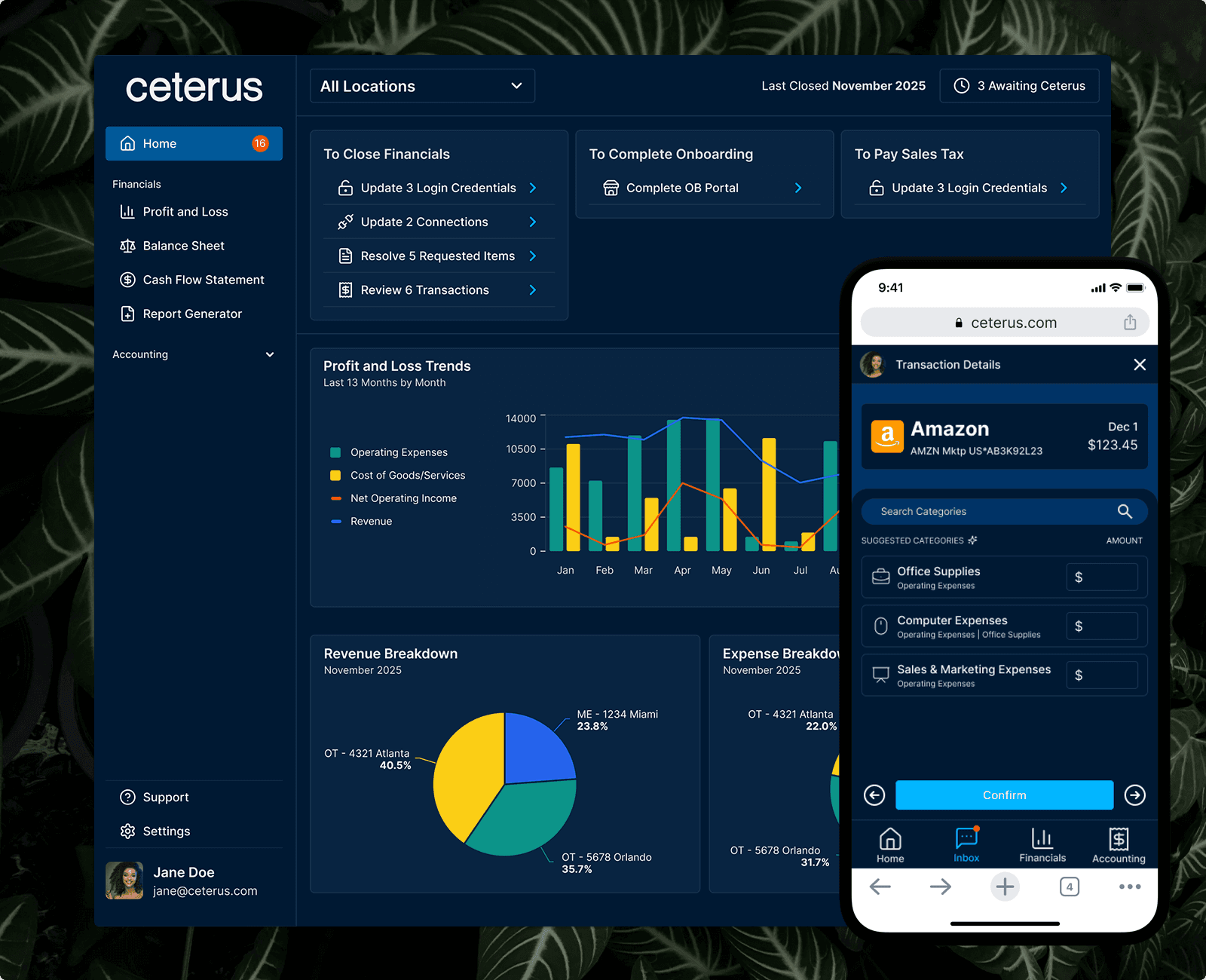
Ceterus is a fintech startup that provides bookkeeping and tax services for Small Businesses and Franchises. They offer automated bookkeeping and advanced reporting through an online portal. Ticket resolution times were slow, customer information was fragmented and leading to poor handoffs, customers were churning before they could even be onboarded, and recent internal tools had poor adoption. I was brought in to address these core operational issues and to streamline these decaying processes.
Impact
30% reduction in ticket resolution times
2x increase in feature adoption
10 minute average reduction in manual efforts
2 of these features quickly became the most used within the application
80% time reduction for customer-facing roles preparing tickets
100% reduction in cost, with the company no longer requiring Zendesk
Case studies for individual projects available upon request!
Discovery
I started by working closely with my product manager, who was previously a manager for the support team, to conduct research around our current operational processes. Following these conversations we conducted further research through a combination of: user interviews, support ticket reviews, and shadowing. Later on I would implement a product analytics tool to supplement this data with quantitative data.
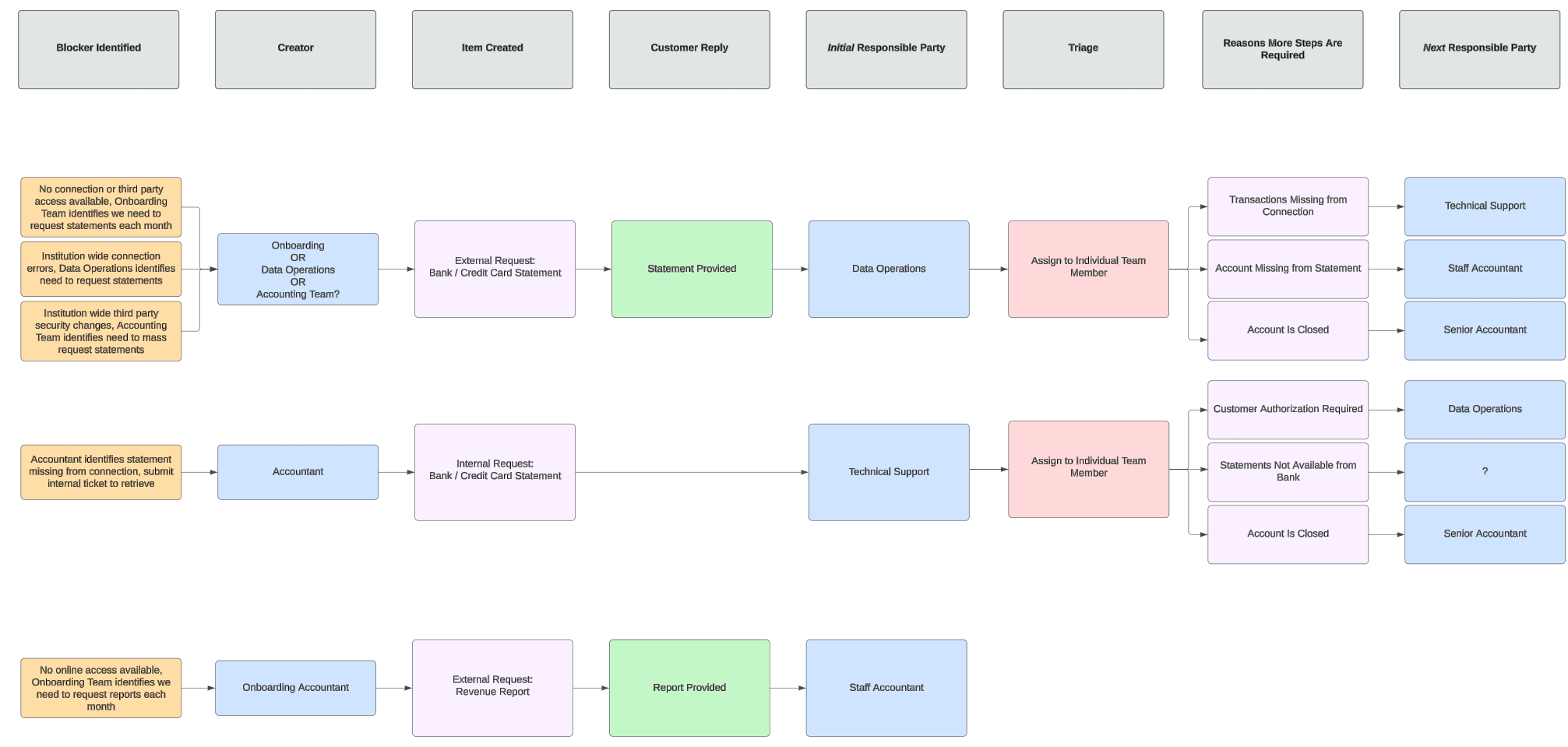
Analyzing our current state - Looking at our current outbound tickets, we identified key points to address to reduce friction.
Tools
Building the backbone for our internal teams
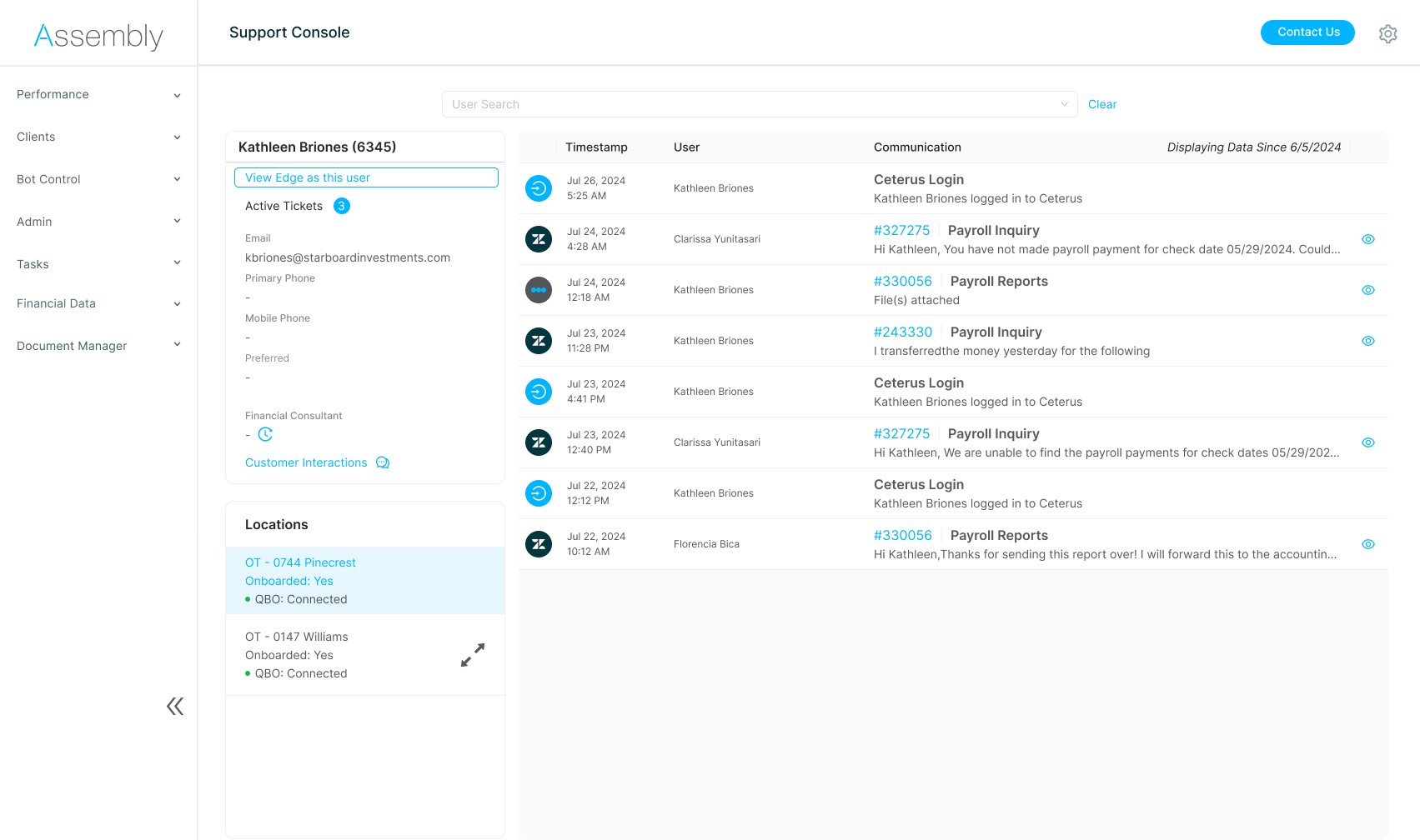
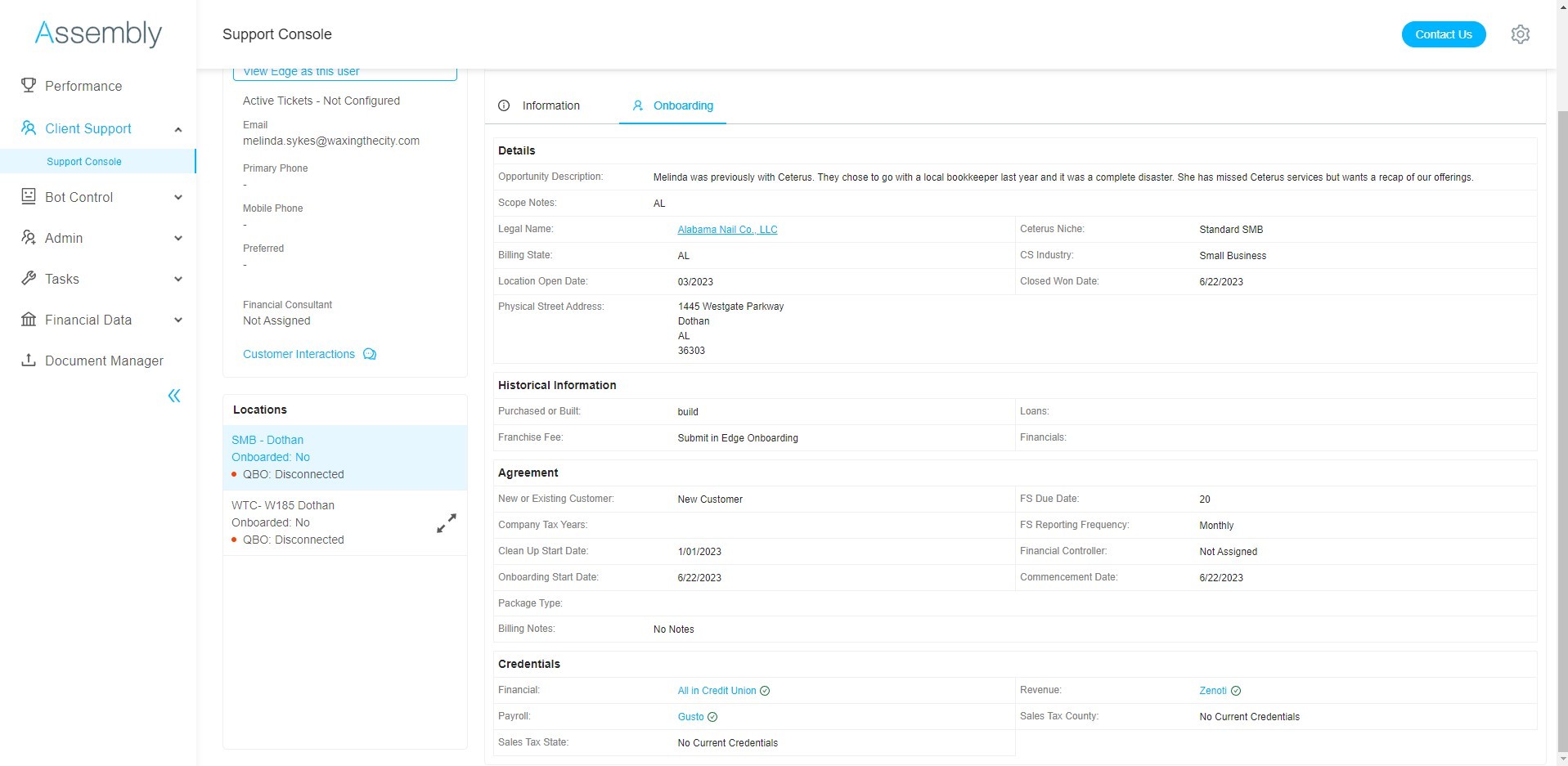
Customer information was fragmented across more than five tools and products, spanning both internal systems and third-party platforms. Customer-facing teams had to constantly switch between applications to piece together a single customer's status. This reliance on disconnected tools led to inconsistent handoffs, duplicated effort, and slow ticket resolution.
To address this, I introduced Support Console, a foundational feature designed to serve as a central hub for customer information. It consolidated the most critical data from internal tools and external systems into a single touchpoint, while still providing quick access to less frequently used details. Early prototypes tested with the support team confirmed that this feature alone would lead to faster ticket preparation and fewer breakdowns during handoffs.
Support Console
Optimizing our support ticket system for scale
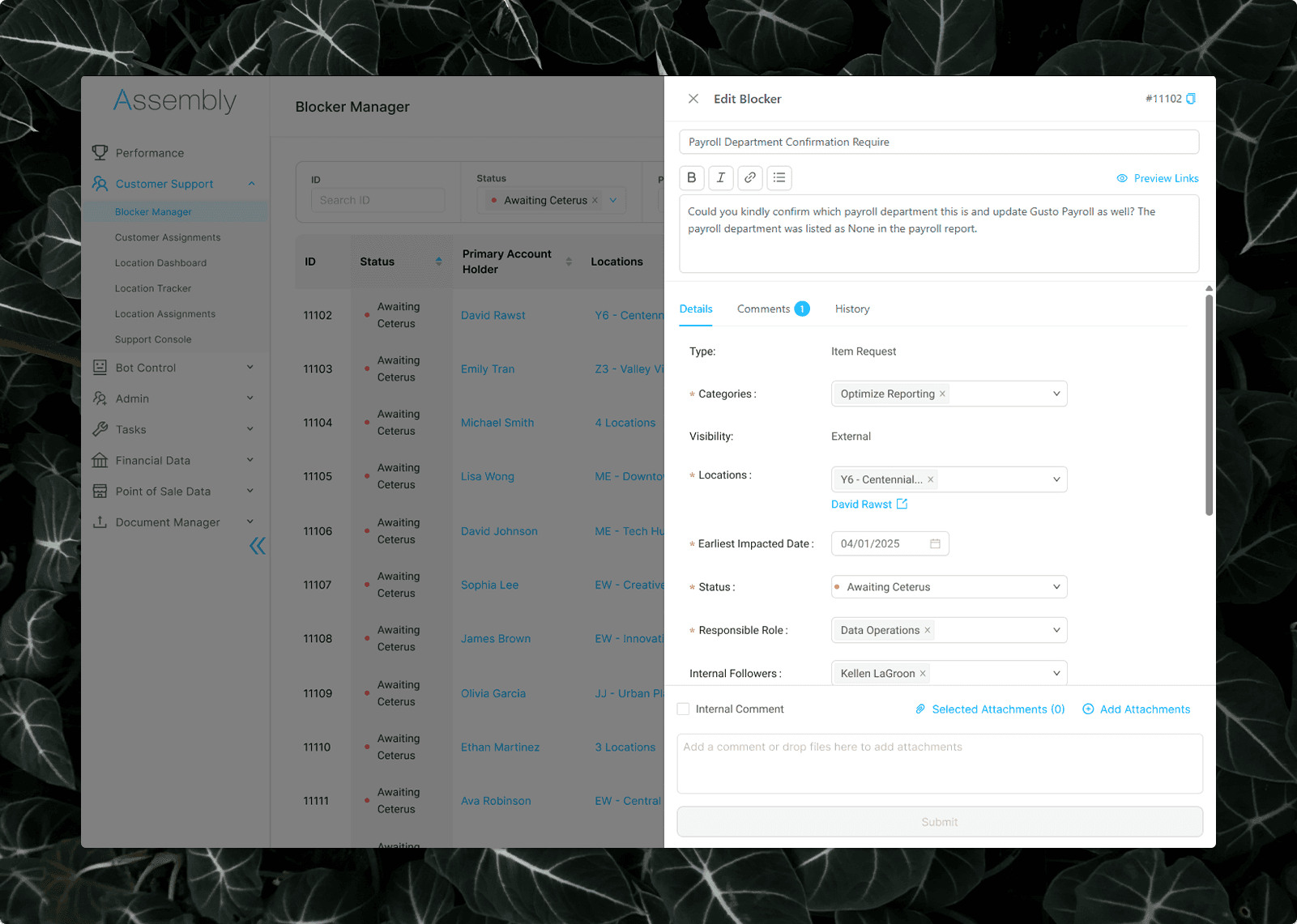
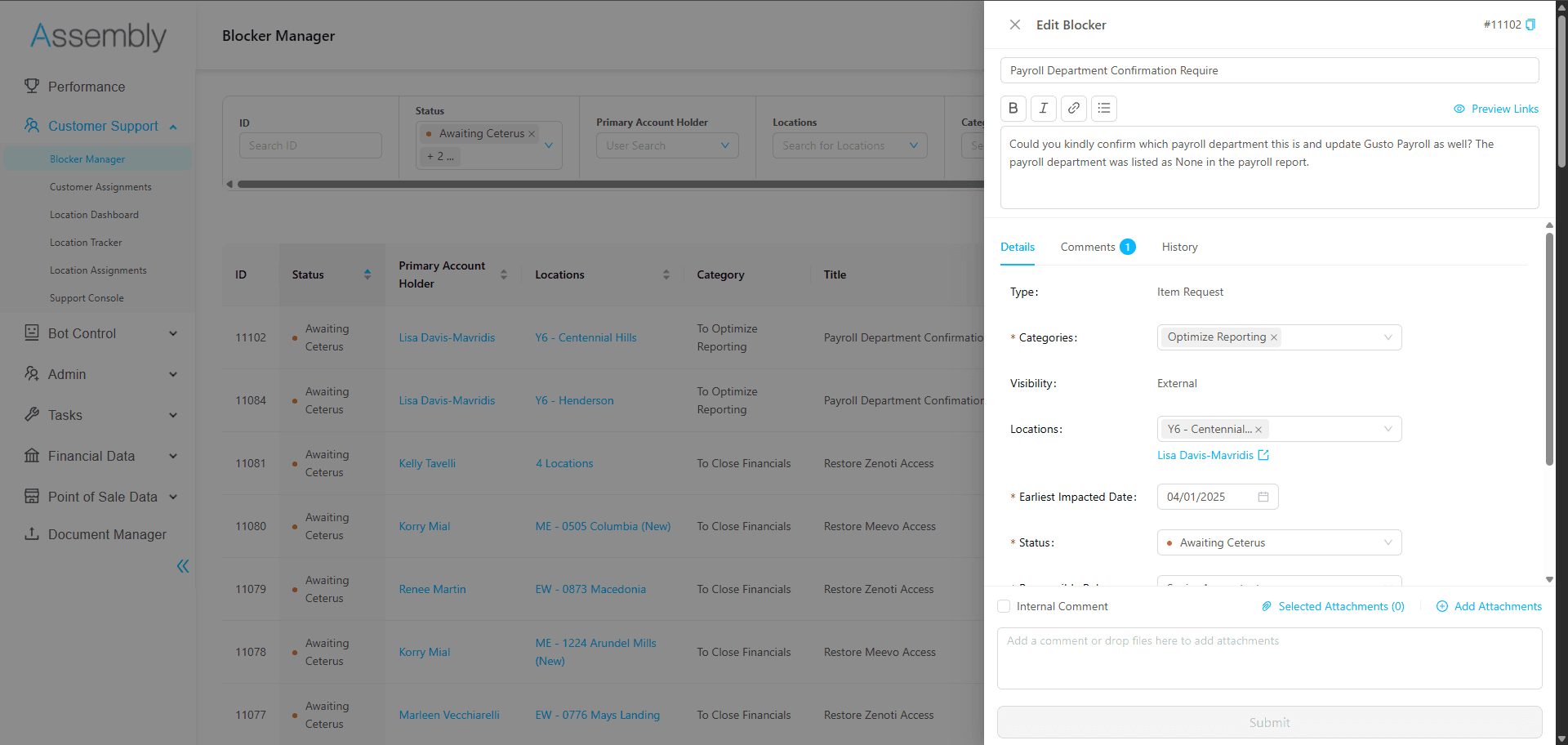
After shipping several internal features that reduced support response times and improved integration uptime, a new issue surfaced on the customer side. We received significant feedback from our customers managing large numbers of locations that they were being overwhelmed by the volume and frequency of requests coming from our team. While many of the requests were necessary to keep our accounting processes and integrations unblocked, the way they were presented created unnecessary friction and slowed overall progress. Addressing this required changes to the customer-facing application, supported by new internal features.
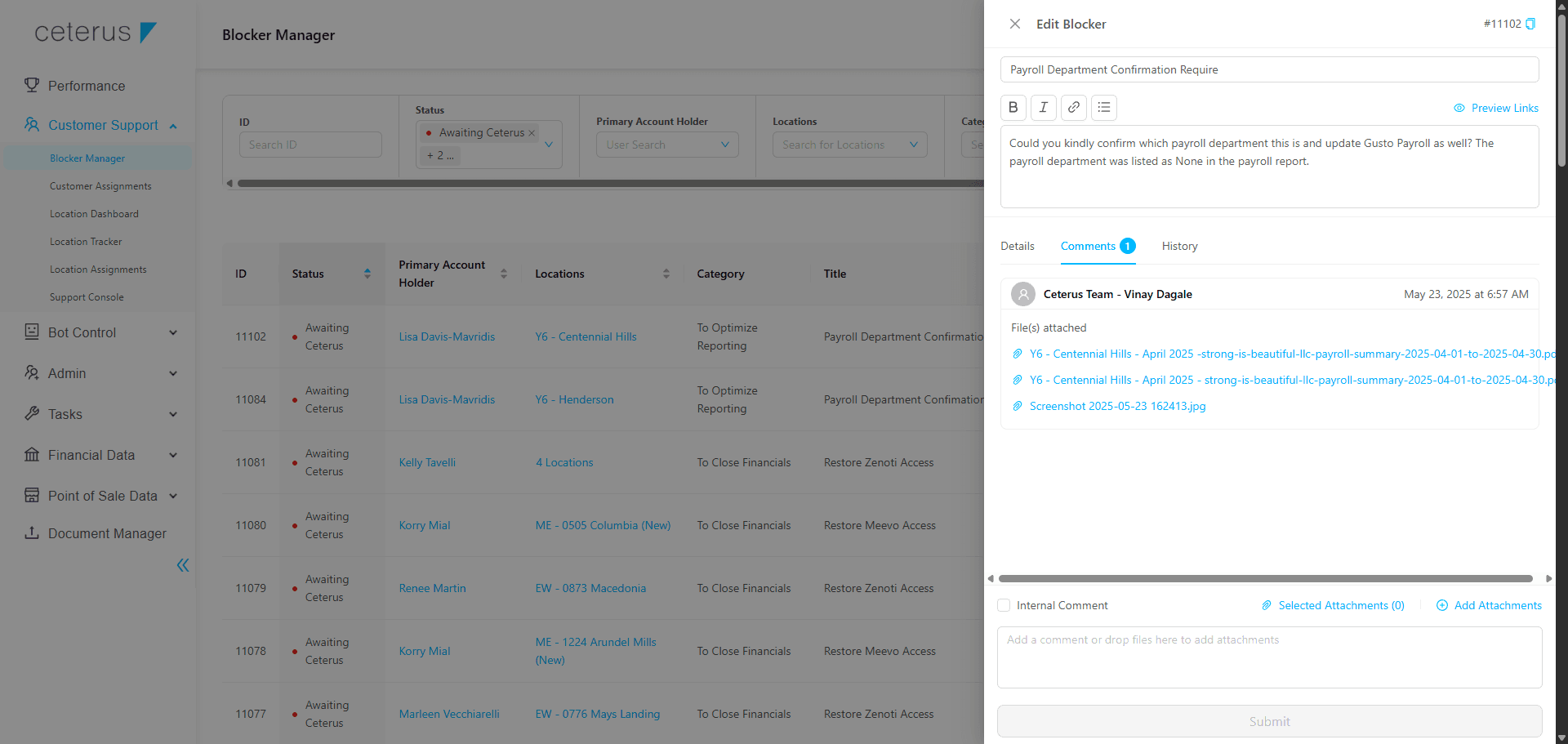
Through my own analysis and customer feedback, I learned customers lacked clear actionable context around what was required of them and how each request related to their accounting processes. To address this, I designed a custom support ticketing system called Blockers. Internally, Blockers functions as a full-featured ticketing system comparable to Zendesk, but is natively integrated into our internal tools. Externally, it presents customers' action items in process-targeted segments. This reduces cognitive load for customers, helps them prioritize their responses, and ultimately improved turnaround times without increasing support overhead.
Blockers
Stabilizing our internal source of truth
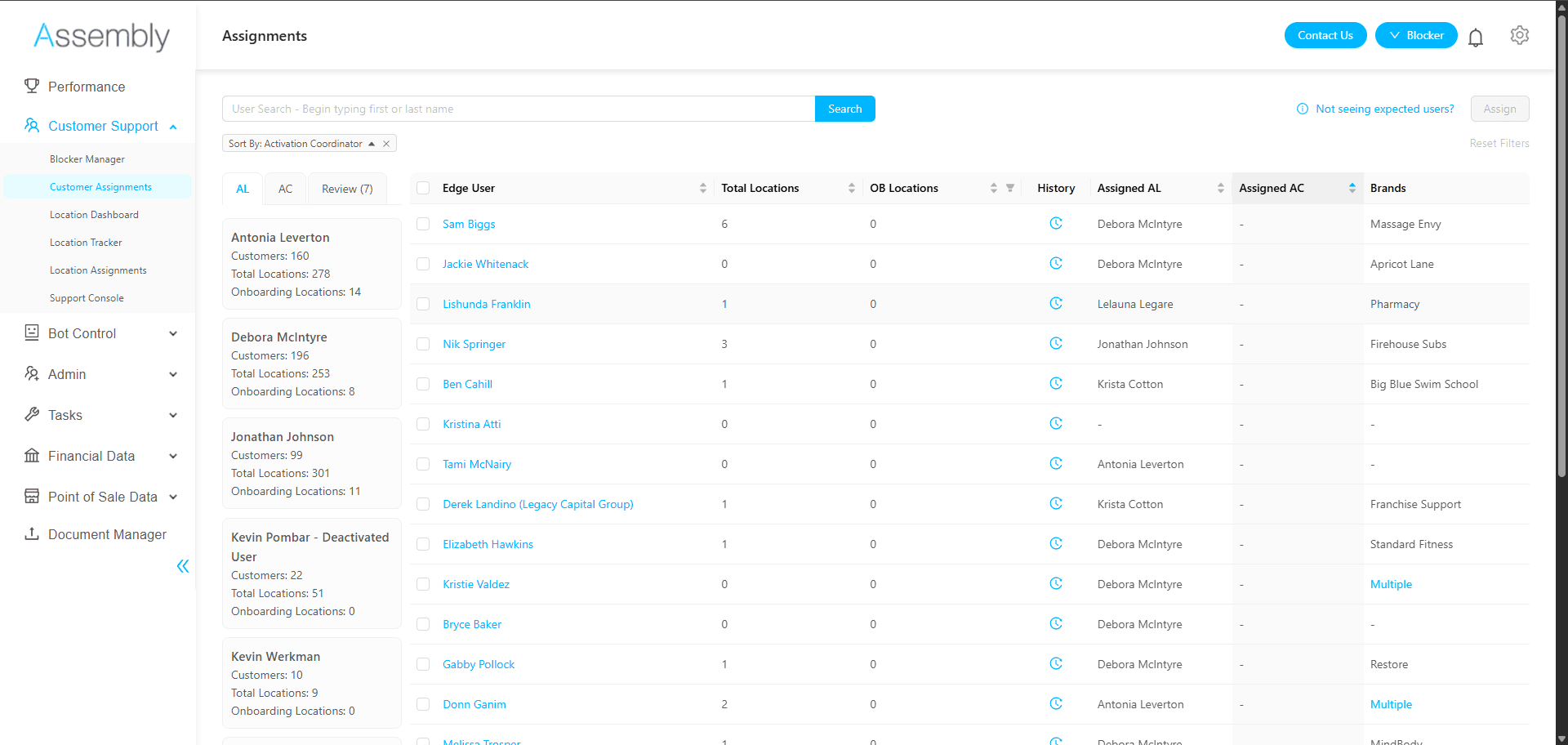
While reviewing onboarding and support tickets that were progressing slowly, we identified a lack of consistency regarding who was responsible for customers and their locations. Some relationships between customers and internal users existed to begin the onboarding process, but the majority of customers and location data was managed in Salesforce and Excel spreadsheets. These sources were slow to update and easily mismanaged, especially as employees changed roles or locations were transferred.
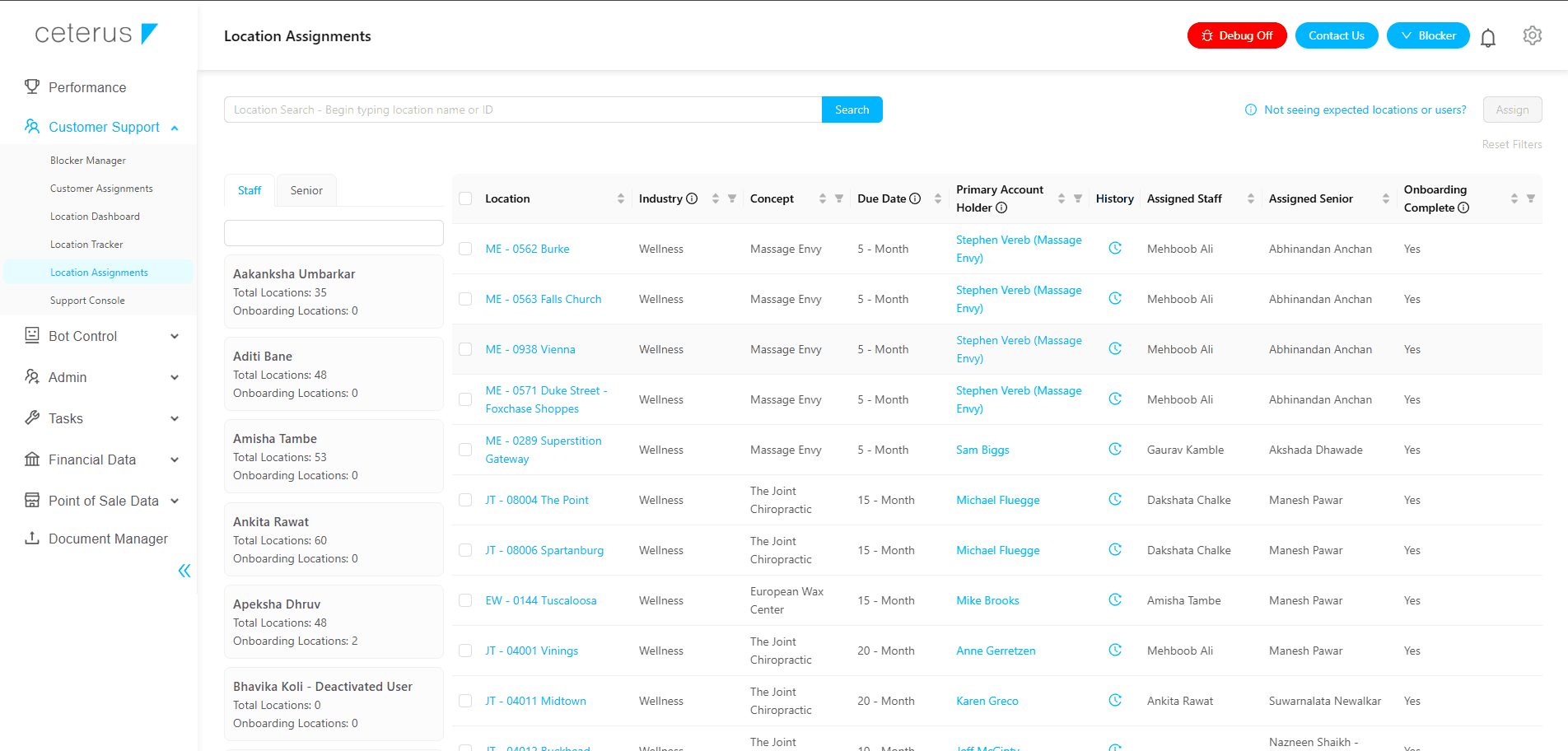
To prevent customer processes being lost, I designed a tool to manage these relationships within our own system, with support for bulk reassigning. I partnered with the engineering director in a whiteboarding session to explore different ways to tackle this feature. The final design is built around 2 sections: a customer table and a tabbed sidebar of internal user cards. Selecting a card will filter the table to show their associated customers, enabling teams to quickly reassign large groups of accounts in response to workload shifts or employee turnover. This same UI would then later be used create a tool for assigning specific locations to internal users.
Customer and Location Assignments